A wobbling ceiling fan is usually a quick fix. Here's how to find the cause and stop the wobble — dirty or bent blades, loose screws, balancing, downrod, and fan-rated boxes — for Tampa homes.
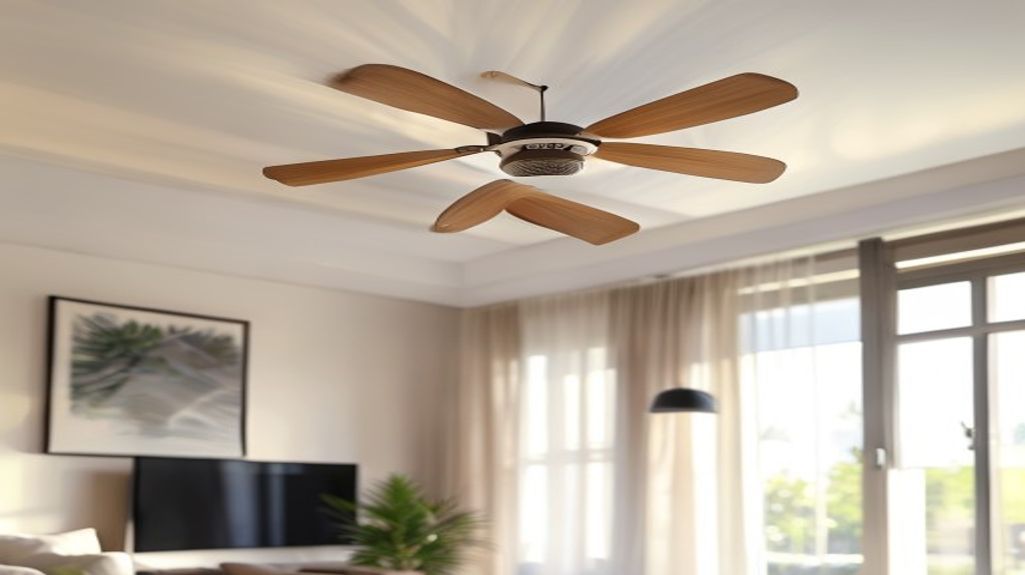
In Tampa, ceiling fans run nearly year-round, so a wobble is something you notice every single day. The good news: a wobbling fan is almost always a simple fix, and despite how alarming it looks, a properly mounted fan very rarely falls. The bad news: that wobble won't fix itself, and it slowly loosens screws over time. Here's how to track down the cause and stop it — going from the easiest fixes to the harder ones.
One thing up front: there's a difference between a small cosmetic wobble (annoying but harmless) and a fan that visibly rocks at the mount or makes clunking sounds (which you should address promptly). We'll cover both, and flag the one situation that's a genuine safety issue.
Cause #1: Dirty or Dusty Blades (Start Here)
This is the most common and most overlooked cause. Dust and grime build up unevenly on the blades, and even a little extra weight on one blade throws the whole fan off balance. In Tampa, humidity makes dust cling and cake onto blades faster than in drier climates.
- Turn the fan off and let it stop completely.
- Wipe each blade — top and bottom — with a damp microfiber cloth. The tops collect the most dust and are easy to forget.
- Clean all blades equally so you don't trade one imbalance for another.
- Turn it back on and check. You'll be surprised how often a simple cleaning fixes the wobble entirely.
Cause #2: Loose Screws (Three Places to Check)
Vibration from normal running gradually loosens screws — and a year-round Tampa fan vibrates a lot. Grab a screwdriver and check three spots, in this order:
- Blade screws: the screws attaching each blade to its metal bracket (blade iron). Tighten any that have backed out — a common, fast fix.
- Bracket-to-motor screws: the screws holding each blade bracket to the motor housing. These loosen too and cause a bigger wobble.
- Canopy/mounting screws: the screws at the canopy (the cover against the ceiling) that secure the fan to the mounting bracket and electrical box. A wobble that seems to come from the mount itself usually traces here.
Cause #3: A Bent Blade or Bracket
If cleaning and tightening didn't do it, a blade or its bracket may be slightly bent or warped — so one blade rides higher or lower than the others. Tampa's humidity is a real culprit here: it warps inexpensive wood and pressboard blades over time.
- Check blade height. Hold a yardstick or tape measure vertically from the ceiling down to the tip of one blade, then slowly rotate the fan by hand and measure each blade at the same point. They should all be the same distance from the ceiling.
- A blade that measures off is bent at the bracket — gently bend the metal bracket to bring it level, or replace a warped blade.
- If the blades themselves are warped (common with humidity-damaged wood blades), a matching replacement blade set is the fix — and a good moment to consider an upgrade.
Cause #4: Unbalanced Blades (Use a Balancing Kit)
If the blades are clean, tight, and level but it still wobbles, the blades are slightly unbalanced in weight. Most fans come with a balancing kit (a plastic clip and stick-on weights) — and you can buy one cheaply if yours is long gone. Here's the method:
- Clip the balancing weight to the middle of one blade and run the fan. Note whether the wobble got better or worse.
- Move the clip from blade to blade until you find the one where the clip reduces the wobble most.
- Slide the clip along that blade (toward or away from the center) to find the exact spot that smooths it out the most.
- Stick a self-adhesive weight on top of the blade at that spot, near the center line. Remove the clip and you're done.
It takes a little trial and error, but a balancing kit can take a fan from a visible wobble to glass-smooth in about 15 minutes.
Cause #5: The Downrod or Ball Mount
On fans that hang from a downrod (common on Tampa's higher and vaulted ceilings), the wobble can come from the connection at the top:
- Downrod set screws and pin: make sure the pin is seated and the set screws at the downrod connections are tight.
- Ball-and-socket seating: the ball at the top of the downrod must sit fully down into the mounting bracket with its notch lined up on the tab — if it's not seated right, the whole fan rocks.
- Wrong downrod length: on a very high or vaulted ceiling, a downrod that's too short can make a fan more wobble-prone; sizing it correctly matters.
The One Wobble That's a Safety Issue: A Non-Fan-Rated Box
Here's the situation to take seriously. A ceiling fan must be mounted to a fan-rated electrical box — a metal box specifically braced to support a fan's weight and the motion of spinning blades. A standard light-fixture box is not built for that load.
- If your fan was installed where a light fixture used to be, and the installer didn't replace the box with a fan-rated one, the fan is hanging from a box that isn't designed for it.
- Warning signs: the fan rocks at the ceiling (not just the blades), the canopy moves, or you hear creaking from the ceiling itself.
- This is the one wobble that can actually lead to a fan pulling out of the ceiling. If you suspect a non-rated box, stop using the fan and have it checked — fixing it means installing a proper fan-rated box, which involves working in the ceiling and with wiring.
Fan-rated box, new wiring, or a switch issue? That's electrical work — here's what we handle: Electrical & Fixture Services in Tampa
When It's Time to Replace the Fan
If you've cleaned, tightened, leveled, and balanced and it still wobbles or hums, the motor housing or bearings may be worn — and at that point a new fan is usually cheaper and quieter than chasing the problem. Modern DC-motor fans run dramatically quieter and use less energy, which adds up when a fan runs year-round in Tampa. A typical wobbling-fan diagnosis and fix runs $75–$125 in Tampa (blade balance, tightening, or mount); a full fan replacement is more depending on the fan and ceiling height.
Ready for a quieter, more efficient fan? See our ceiling fan installation service: Ceiling Fan Installation in Tampa
Frequently asked questions
- Is a wobbling ceiling fan dangerous?
- Usually not — a small wobble from dirty or unbalanced blades is annoying but harmless, and a properly mounted fan very rarely falls. The exception is a fan that rocks at the ceiling itself or is mounted to a non-fan-rated electrical box; that's a real safety issue that should be checked and corrected promptly.
- How do I stop my ceiling fan from wobbling?
- Work through it in order: clean all the blades evenly, tighten the blade, bracket, and canopy screws, check that all blades sit the same distance from the ceiling, and if it still wobbles, use a balancing kit (clip-and-weight) to fine-tune it. Most wobbles are fixed in about 20 minutes with no parts.
- Why does my ceiling fan wobble all of a sudden?
- A sudden wobble is usually a screw that vibrated loose (at a blade, bracket, or the canopy) or uneven dust buildup on the blades. Year-round running in Tampa loosens screws and cakes on dust faster than you'd expect. Tighten the screws and clean the blades first — that solves most sudden wobbles.
- Does a ceiling fan need a special electrical box?
- Yes. A ceiling fan must hang from a fan-rated electrical box that's braced to support the weight and motion of a spinning fan. A standard light-fixture box isn't built for it. If a fan was installed where a light used to be without upgrading the box, that's a safety concern worth having checked.
- Does Fenelon Handyman fix wobbling ceiling fans in Tampa?
- Yes — diagnosing and fixing fan wobble (blade balancing, tightening, bent-blade and mount issues), installing fan-rated boxes, and replacing old fans are all routine for us across Tampa Bay, usually in one visit. Call or text (786) 509-5555.
Wobbling fan you can't quiet down — or not sure it's mounted safely? Call or text (786) 509-5555 for a fast, insured Tampa handyman. See our ceiling fan services.
General Repairs in Tampa, FL
Done-for-you by an insured local crew — free quotes, same-week scheduling.
Need a hand with this in Tampa?
Get a free quote from a 4.8★ local crew. We answer fast and show up on time.
We handle this kind of work across Tampa Bay — including handyman service in South Tampa, handyman service in Temple Terrace, handyman service in University and handyman service in Carrollwood. See all service areas.