Which way should a ceiling fan spin? Counterclockwise in summer to cool you down, clockwise in winter to push warm air back down — plus how to change it and why it saves Tampa homeowners money.
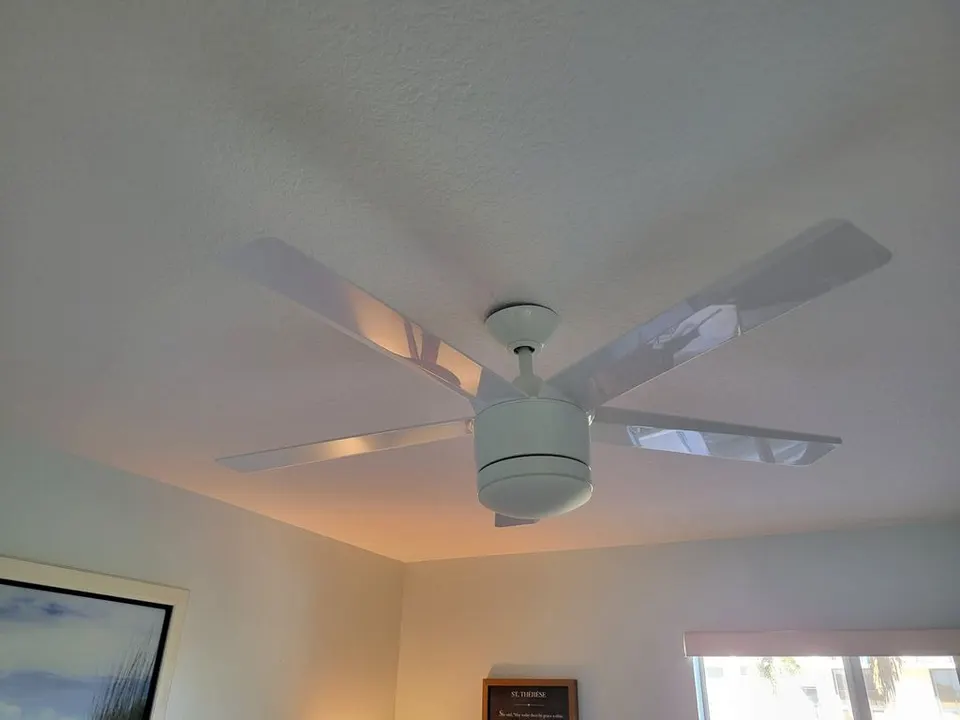
Almost every ceiling fan has a small switch on the motor housing that reverses the direction the blades spin — and almost nobody flips it. In Tampa, where the AC runs from spring through fall, that switch is quietly costing people comfort and money. Set the right way, a fan makes you feel about 4°F cooler, which means you can nudge the thermostat up a few degrees and shave the single biggest line on a Florida power bill. Here's which way it should turn, why, and how to change it in two minutes.
The one rule: counterclockwise for summer
Stand under the fan and look up. In summer, the blades should spin counterclockwise. That pushes air straight DOWN, creating a breeze you can feel — the same wind-chill effect as a fan on your desk. It doesn't actually lower the room's temperature; it moves air across your skin so your body sheds heat faster and you feel cooler. In winter, you reverse it: clockwise, on the lowest speed. That pulls cooler air up and nudges the warm air that's collected at the ceiling gently back down the walls, without blowing a draft on you.
- Summer = counterclockwise = air blows down = you feel cooler. (Easy way to remember: 'counterclockwise to cool.')
- Winter = clockwise + low speed = warm air circulates down without a draft.
How to tell which way yours is spinning right now
Stand directly beneath the fan and turn it up to medium or high. If you feel a strong, obvious breeze pushing down on you, it's set for summer (counterclockwise) — that's what you want most of the year in Tampa. If you barely feel anything directly below it, the fan is pulling air up — that's the winter setting, and you'll want to flip it for warm weather.
What you'll need
- A sturdy step stool or ladder to reach the motor housing (skip this if your fan came with a remote or app).
- Two minutes — no tools required.
Step 1: Turn the fan off and let it stop completely
Switch the fan off at the wall and wait until the blades come to a full stop. Never reach into a moving fan to find the switch — let it wind all the way down first.
Step 2: Find the direction switch
On most fans there's a small horizontal slide switch on the side of the motor housing (the body the blades attach to). If your fan uses a remote or a smart-home app, look for a reverse or direction button there instead — no ladder needed.
Step 3: Flip it the opposite way
Slide the switch to the other position. There's no marking for 'summer' or 'winter' — you set it by the airflow result, not the switch label. For Tampa's long warm season, you want the position that blows air down on you.
Step 4: Turn it back on and confirm the airflow
Power the fan back up to medium, stand underneath, and check. Strong downward breeze means you nailed the summer setting. No breeze below means you flipped it the wrong way — turn it off, let it stop, and switch it back.
The Tampa reality: run it counterclockwise almost year-round
Most of the country swaps fan direction twice a year. In Tampa, you'll keep fans on the summer (counterclockwise) setting for the overwhelming majority of the year and only consider the winter setting during our handful of genuinely cold weeks in December through February. The bigger money habit is simpler: a fan cools people, not rooms. Turn it OFF when you leave the room. Running a fan in an empty room does nothing but add to your electric bill — and the motor actually adds a tiny bit of heat. Use fans where people are, raise the thermostat a few degrees, and the savings across our long cooling season are real.
If your fan wobbles or the switch does nothing
A fan that wobbles won't move air efficiently and the noise will drive you up the wall — that's usually a balance or mounting issue worth fixing. And if the direction switch feels stuck or does nothing, the switch itself can fail; on an older fan it's often the moment to replace the unit with a quiet, efficient model sized correctly for the room. Both are quick jobs we handle across Tampa.
Fan shaking or rattling? Here's how to stop a wobbling ceiling fan: Why Is My Ceiling Fan Wobbling?
Installing or replacing a fan yourself? Step-by-step guide here: How to Install a Ceiling Fan
Want it installed or swapped without the ladder gymnastics? See our service: Ceiling Fan Installation in Tampa
Frequently asked questions
- Which way should a ceiling fan turn in the summer?
- Counterclockwise when you look up at it from below. That pushes air straight down and creates a breeze that makes you feel about 4°F cooler, so you can raise the thermostat and save on AC. An easy way to remember it: counterclockwise to cool.
- Which way should a ceiling fan turn in the winter?
- Clockwise, on the lowest speed. This pulls cool air up and pushes the warm air that collects near the ceiling gently back down along the walls without creating a draft. In Tampa you'll only need this during the coldest weeks of the year.
- How do I change the direction of my ceiling fan?
- Turn the fan off and let it stop completely. Find the small slide switch on the side of the motor housing and flip it to the opposite position (or press the reverse button on the remote or app). Turn it back on and stand underneath to confirm the airflow direction.
- Does a ceiling fan actually cool a room?
- No — a fan cools people, not rooms. It moves air across your skin so you feel cooler, but it doesn't lower the actual temperature. That's why you should turn fans off when you leave a room: running one in an empty room just wastes electricity.
- Does running ceiling fans save money in Florida?
- Yes, if you use them with the AC, not instead of it. Because you feel cooler with the fan on, you can raise the thermostat a few degrees and the AC runs less. Over Tampa's long cooling season that adds up — just remember to switch fans off in empty rooms.
Need a ceiling fan installed, balanced, or replaced in your Tampa home? Call or text (786) 509-5555 — we mount and wire fans quietly and safely. Get a fan installation quote.
General Handyman in Tampa, FL
Done-for-you by an insured local crew — free quotes, same-week scheduling.
Need a hand with this in Tampa?
Get a free quote from a 4.8★ local crew. We answer fast and show up on time.
We handle this kind of work across Tampa Bay — including handyman service in University, handyman service in Carrollwood, handyman service in Brandon and handyman service in Lutz. See all service areas.